

🟨 Building an AI Chatbot Without the Complexity
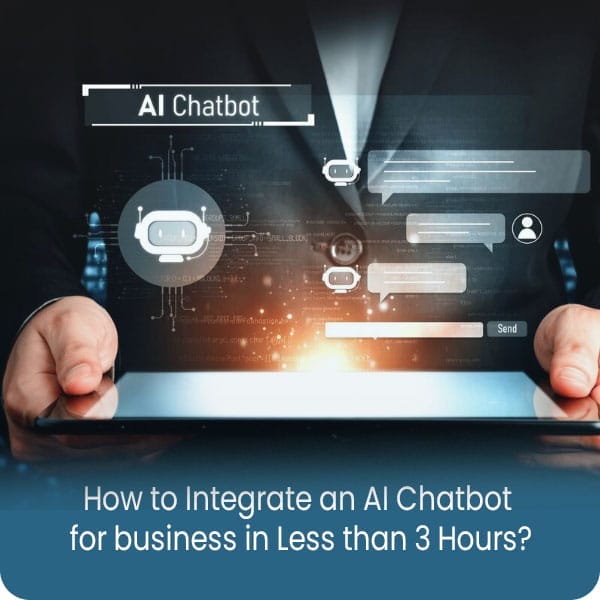
If you’re wondering how to integrate an AI chatbot into your website without hiring a developer or waiting days, you’re not alone. Many business owners delay chatbot adoption because they assume it’s too technical or time-consuming.
The truth? Building an AI chatbot for business in less than 3 hours — and start automating lead capture, customer support, or basic queries the same day.
This blog walks you through a simple, step-by-step process to get your AI chatbot live — fast, efficiently, and without writing a single line of code.
🟨 What You Need Before You Start Building an AI Chatbot for Business?
Before jumping into setup, spend a few minutes gathering what you need to integrate an AI chatbot into your website or business platform smoothly. This preparation will save time and help your chatbot perform better from the moment it goes live.
- ✅ A Website or Messaging Platform: Whether you’re using WordPress, Shopify, Wix, or even WhatsApp Business, your chatbot needs a place to live. Confirm that your platform supports chatbot integration via apps, plugins, or third-party services.
- ✅ A Clear Purpose for the AI Chatbot: Ask yourself: What do you want the AI chatbot for your business to do?
- Capture leads
- Answer FAQs
- Book appointments
- Provide product recommendations
- Knowing the purpose helps you choose the right tool and set up effective responses.
- ✅ Basic Content for Training or Setup: Prepare essential content such as:
-
- A welcome message
- Your top 10 FAQs (pricing, availability, contact info, etc.)
- Key product or service details
This ensures your chatbot can start handling real user questions right away.
-
- ✅ Access to Chatbot Platform or Tool: Sign up or log into platforms like Tidio, ChatBot.com, Intercom, or Landbot — whichever suits your needs. Most offer ready-to-use templates, quick setup wizards, and drag-and-drop builders.
📌Once these are ready, you’re all set to start building your AI chatbot — without any technical roadblocks.
🟨 3-Hour Integration Guide: How to Integrate an AI Chatbot into Your Website?
You don’t need days or a development team to get started. Here’s a simple hour-by-hour breakdown to help you set up an AI chatbot for your business and get it live in less than 3 hours.
🕐 Hour 1: Choose the Right AI Chatbot Platform:
Start by selecting a chatbot tool that aligns with your website and business goals. Here are some trusted platforms.
- Tidio (Best for Shopify and WooCommerce).
- ChatBot.com (Great for multichannel and web-based support).
- Intercom (Powerful for SaaS, onboarding, and support automation).
- Landbot (Ideal for WhatsApp and form-based conversations).
- Botpress or SiteGPT (For integrating ChatGPT with website content).
How to decide: Start by selecting a chatbot tool that aligns with your website and business goals. Here are some trusted platforms.
- Want quick integration with eCommerce or CMS platforms? → Go for Tidio or ChatBot.com.
- Looking for lead nurturing or multi-step flows? → Try Intercom or Landbot.
- Need ChatGPT-like responses trained on your content? → Use SiteGPT or custom ChatGPT wrappers.
Each of these platforms supports fast onboarding, drag-and-drop conversation builders, and native integration with popular tools — no coding required.
🕑 Hour 2: Set Up and Train Your AI Chatbot:
Once signed in, you’ll be guided through a simple setup wizard. Key setup tasks:
- Write a greeting message to welcome users.
- Add or import FAQs and support responses.
- Set fallback rules (e.g., when to escalate to a human).
- Optional: Connect your knowledge base, website content, or Google Docs using RAG features for smarter responses.
Use the builder to create flows like:
- Lead capture → Thank you → Notify team.
- Support query → Instant answer → Mark as resolved.
- Booking form → Time selection → Confirmation message.
No coding. No scripting. Just point, click, and deploy.
🕒 Hour 3: Integrate the Chatbot with Your Website or Business Tools:
This is where your chatbot goes live — directly on your site or communication platform. For Website Integration:
- If using WordPress, Shopify, or Wix:
- Go to your chatbot platform’s “Channels” or “Integrations” tab.
- Use official plugins or app connectors (available in WordPress Plugin Store, Shopify App Store, etc.).
- Install and activate — your chatbot will instantly appear on your website.
For WhatsApp, Messenger, or Instagram Chatbots:
- Use platforms like Landbot, Twilio, or Gupshup to connect your chatbot to messaging channels.
- Follow the step-by-step UI provided — most setups are approved and activated within minutes.
For CRMs or Helpdesks (e.g., HubSpot, Zendesk):
- Connect the chatbot using built-in integrations or marketplace apps.
- Set rules for syncing chats, logging leads, or routing tickets.
Before going live, test the chatbot’s flow using the preview window. Once everything looks good — publish it.
📌 In just 3 hours, you now have a working AI chatbot for your business — answering visitors, qualifying leads, or supporting customers 24/7.
🟨 When to Go Custom – and Why It’s Worth It?
Off-the-shelf chatbots are perfect for getting started, but as your business grows, so do your needs. That’s when a custom AI chatbot becomes the smarter choice.
✅ You Should Consider a Custom Chatbot:
- If you need multi-language support or localized messaging.
- Whether your workflows span multiple departments or tools. (CRM, ERP, inventory, HR, etc.)
- Also, if you want your bot to remember previous user interactions. (context memory)
- Whether you require AI chatbots trained on proprietary business data.
- If you want full control over logic, escalation paths, and data handling.
- Also. if you need a chatbot that works inside mobile apps, portals, or internal systems.
At Ibiixo, we build intelligent AI chatbots that do more than just answer — they qualify, recommend, route, book, escalate, and improve over time.
📌 When automation becomes a core part of your business, custom is the way to go — and Ibiixo can get you there.
📚 Missed the last post? Read: How to Use AI Integrations for Smarter Product Recommendations in Your E-Commerce Website?
🟨 Let Ibiixo Help You Building the Perfect AI Chatbot for Your Business
If you’re ready to stop losing leads and start serving customers 24/7, it’s time to act. Whether you want to set up a fast solution or need a powerful, fully integrated system — Ibiixo helps you do both. We specialize in:
- Quick AI chatbot setup across platforms like Shopify, WordPress, and WhatsApp.
- Custom AI chatbot development trained on your business logic and workflows.
- Structure your store’s backend and data for seamless AI mapping and optimal performance.
- Seamless chatbot integration with your website, CRM, ERP, or helpdesk.
👉 Want to integrate an AI chatbot into your website the smart way? Let Ibiixo build, launch, and scale AI chatbot for your business — in hours, not weeks.



Leave A Comment